
Navigating the world of Software as a Service can feel like trying to hear a single voice in a stadium full of people shouting. Whether you're launching a new SaaS product, scouting the competition, or trying to validate an idea, SaaS market research is your map through the noise.
Done right, market research uncovers blind spots. It reveals untapped segments of the SaaS market and points you toward smarter decisions. The best SaaS companies dig into customer feedback, analyze trends, run surveys, and combine secondary research with primary research to build a crystal-clear picture of their space.
If you're building a SaaS business, trying to fine-tune a SaaS solution, or analyzing a competitor’s SaaS product, your process needs to go beyond spreadsheets and intuition. You need tools, you need structure, and you need analytics that highlight what matters — customer satisfaction, metric movement, and evolving customer needs from your target audience.
In this guide, we’ll show you how to conduct SaaS market research step by step. Whether you're exploring the landscape or looking to do SaaS market research like a seasoned pro, this is your playbook.
Key Takeaways For Research in SaaS
- Clear research objectives are the foundation of effective SaaS market research. Tie each one to a specific decision or hypothesis.
- Segmenting the SaaS market by category, region, or growth signals helps you identify real opportunities and avoid generic analysis.
- SaaS Browser gives you instant access to over 500,000 SaaS businesses, with advanced filters to uncover emerging trends and validate ideas.
- Competitive analysis isn’t just about listing players. It’s about understanding traction, positioning, and strategic gaps you can fill.
- Blending qualitative and quantitative research gives you both context and clarity.
- Exporting SaaS Browser data into your dashboards or CRMs turns research into an operational asset.
- Research workflows are most effective when they’re recurring. Think weekly for trends, monthly for competitors, and quarterly for roadmap shaping.
- Real-time research beats static reports. Tools like SaaS Browser help you monitor market shifts as they happen, not months later.
1. Setting Clear Research Objectives
Every effective SaaS market research project starts with clear, specific objectives. Without them, you’re gathering data for data’s sake. That leads to confusion, not clarity.
As a rule of thumb: your research objective should answer two things:
- What decision will this research support?
- How will we know if it worked?
Here’s how to set it up right:
Tie it directly to a business decision
Don’t say, “We want to understand the competitor landscape.” Say, “We want to find out how many SaaS tools there are currently in the Email Marketing niche."
Make it measurable
Use inputs and outcomes. For example: “Identify at least five emerging competitors in the project management space by filtering SaaS Browser’s categories with freemium models, similar feature sets, and overlapping target audiences, so we can refine our positioning and strengthen our product differentiation.”
Prioritize one core outcome per research cycle
Trying to validate messaging, explore pricing sensitivity, and map the competitive landscape all at once? That’s not SaaS research, that’s chaos. Break it down. Focus.
Pro tip from the trenches:
Frame every objective as a testable hypothesis.
Don’t say, “We need feature X.” Instead, say, “We believe churn among mid-market users is driven by onboarding confusion.” This subtle shift helps guide the research design and leads to more actionable findings.
This mindset applies across the global SaaS ecosystem — from micro SaaS startups to enterprise providers. Whether you’re evaluating a new market, tracking market growth, or conducting customer research 101 to refine product fit, the success of any research project hinges on having a clear and relevant research objective.
Set your target before you fire. Every choice you make—from methodology to competitive landscape analysis—is shaped by this starting point.
2. Understanding the SaaS Market Landscape
Once your research objectives are clear, it’s time to explore the SaaS market landscape. You want to know what’s growing, what’s shifting, and where the gaps lie.
Start with market size and trends
Tap into reputable sources like Gartner, Statista, or research reports to understand current market conditions, market statistics, and where investment is flowing.
For global benchmarking, look at global software as a service projections across verticals like HR tech, cybersecurity, or martech.
Analyze segments, not just sectors
Break the software market into functional segments. Think AI-powered no-code app builders, BIM tools, CRM tools, and such. You can use over a hundred of SaaS browser’s categories to actually get ideas.
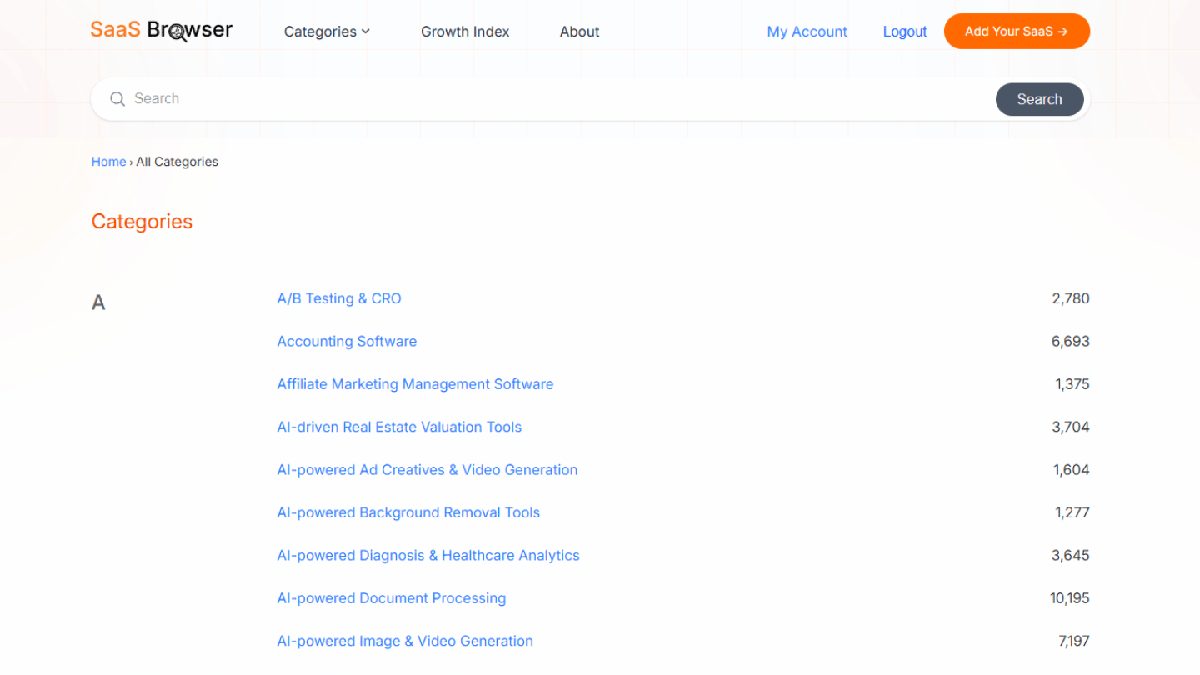
This reveals overlooked corners of the crowded SaaS landscape that could be your next opportunity.
This level of granularity helps you find overlooked niches — where saturation is low, but need is high.
Use SaaS Browser for a live view of the landscape
This is where SaaS Browser becomes invaluable. It’s the largest public database of SaaS tools on the internet. We track over 500,000 companies by category, tech stack, business model, and more.
You can filter by vertical, see which categories are adding the most tools, explore who’s building what in a niche, and even spot rising players that haven’t hit mainstream yet.
For example, AccuKnox, founded in 2020, is one of the early-stage companies we found through SaaS Browser.
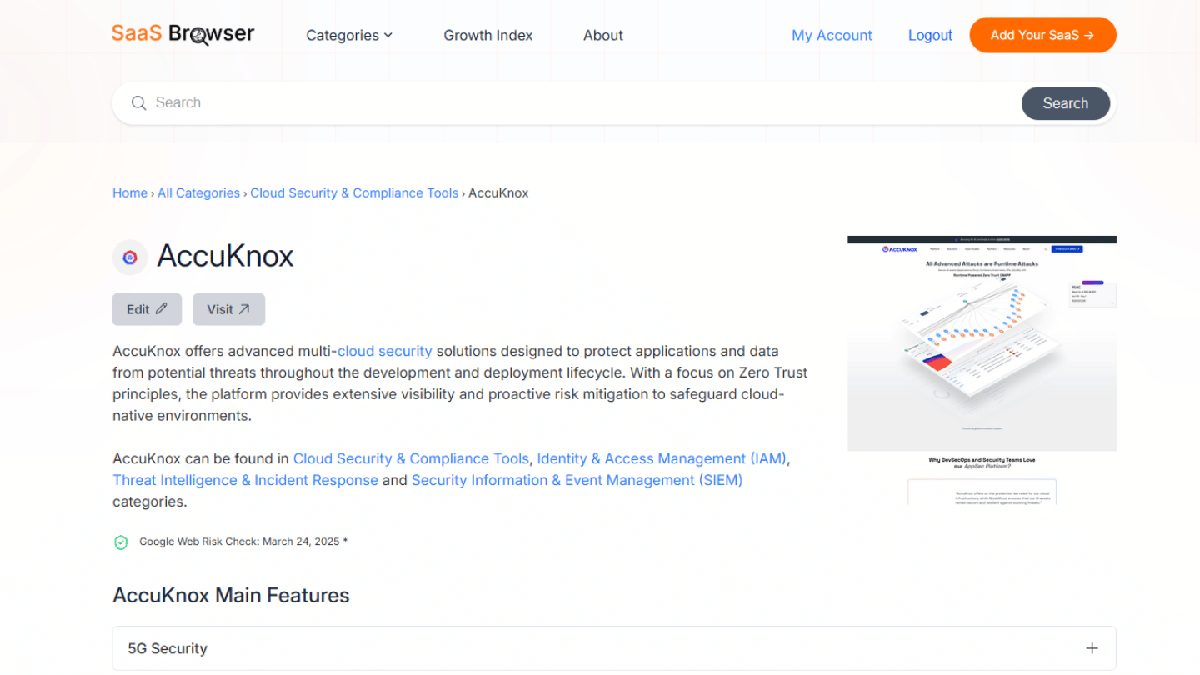
It offers advanced multi-cloud security solutions and zero trust enforcement powered by AI. What’s notable is that it hasn’t yet made major headlines or raised a splashy round. This makes it a perfect example of why this kind of research matters:
You can spot promising tools before they hit the radar of mainstream investors or marketing-driven comparison sites.
SaaS Browser helps you explore over 500,000 tools by category, momentum, and core features. It’s an ideal engine for research in SaaS, helping you uncover emerging players, fast-growing verticals, and solutions that meet very specific research needs.
Whether you're doing early analysis tools scanning, quantitative research, or conducting market research for a funding pitch, the depth is unmatched — both in b2c and b2b space.
Pro tip:
Watch for verticals with recent traction but limited saturation.
Categories like Marketplace Pricing Optimization Software or SIEM platforms each have under 2,000 tools in our database — a signal that interest is rising, but the field isn’t overcrowded yet. These are the kinds of spaces where early movers can still carve out real differentiation.
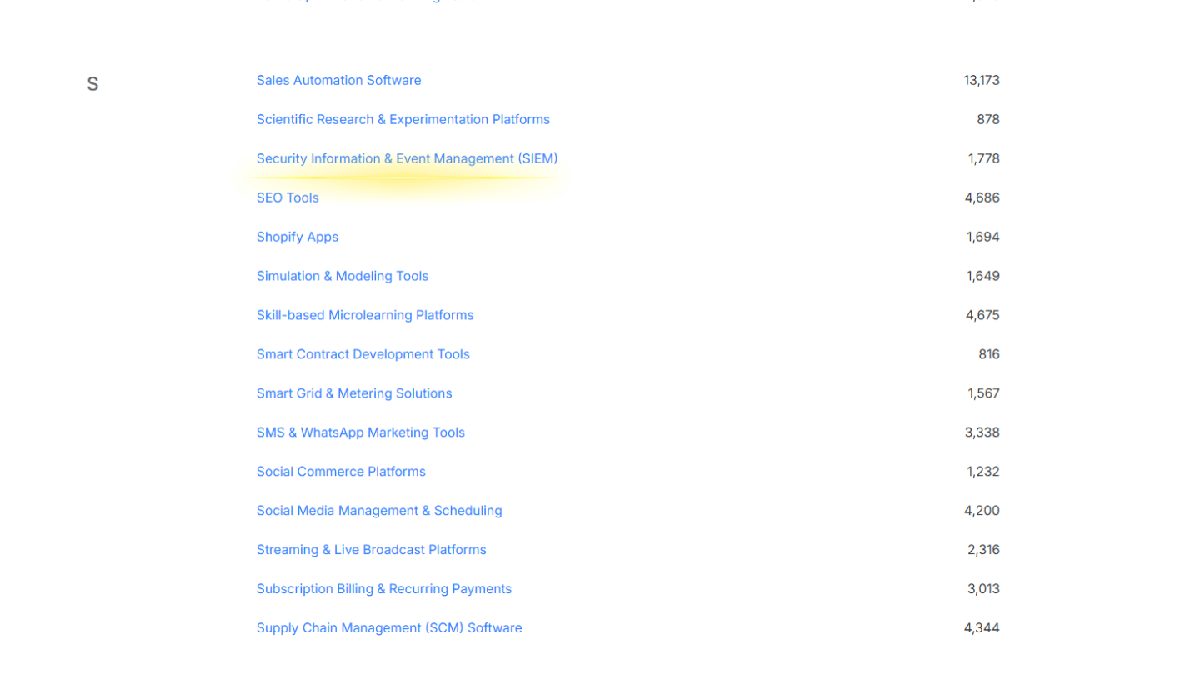
These areas, often driven by shifts in software delivery, regulation, or digital transformation, are breeding grounds for growth. Early visibility here can translate into advantage and faster product-market fit.
3. Conducting Competitor Analysis
Competitor analysis in SaaS isn't just about listing similar tools. It’s about understanding their traction, strategy, and positioning so you can make smarter decisions, faster.
Start with your category, then go broad
Use SaaS Browser to identify direct and indirect competitors based on category, features, pricing model, or tech stack. For example, if you’re building a project management tool, don’t just look at big names. Scan the competitors you haven’t yet heard about.
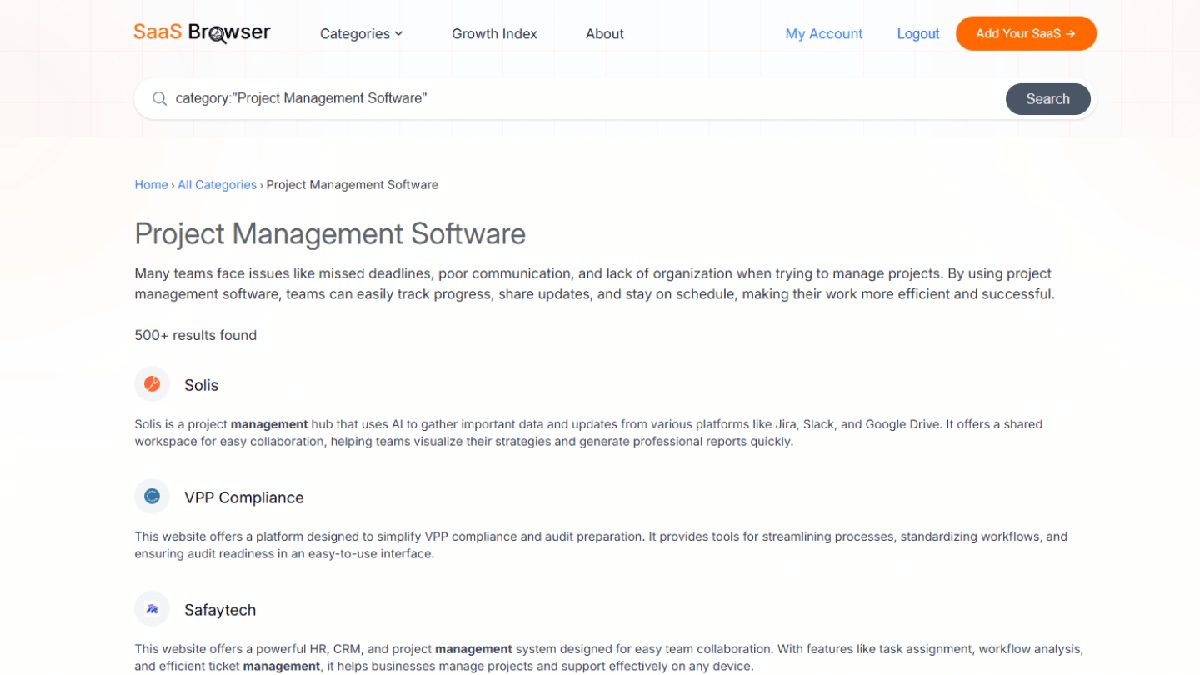
Then, go find emerging vertical tools, B2B platforms, SaaS applications, and market share shifts.
Benchmark their digital footprint
Track domain authority and backlink profile, and social media stats to evaluate visibility and brand momentum of your competitors. SaaS Browser compiles this in seconds.
This is how we discovered Solis as a rising player in the project management space by tracking its growing backlink profile and social media momentum
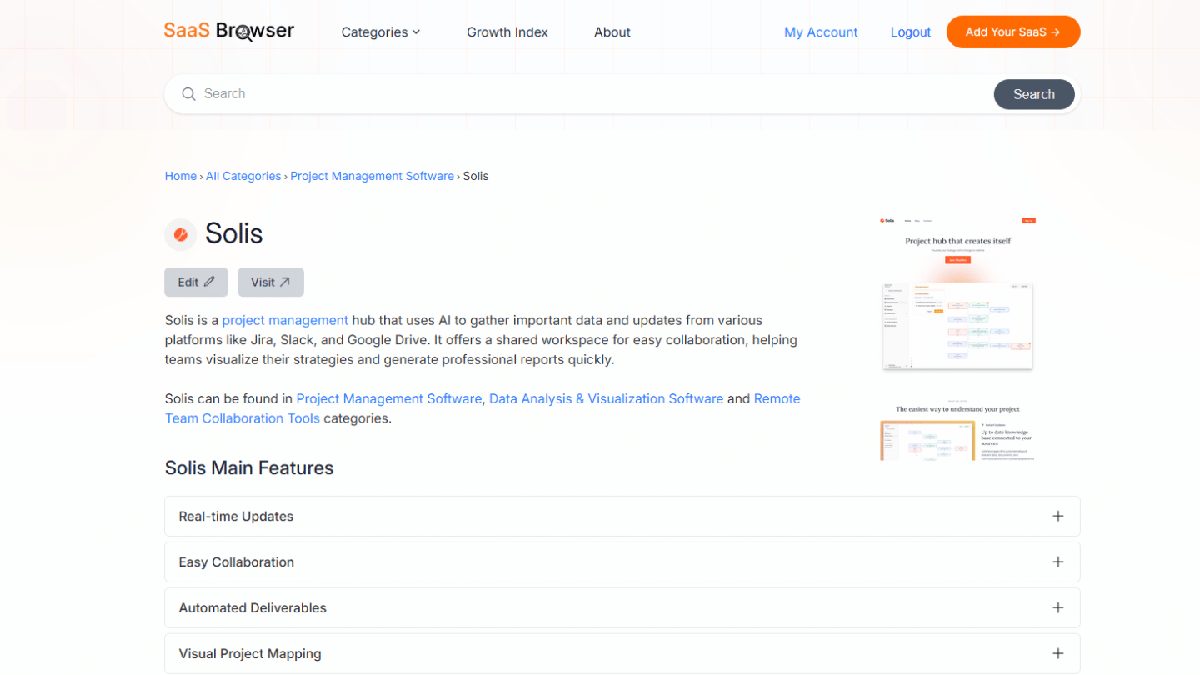
These are all clear indicators that it’s gaining traction. It appeared across multiple high-intent categories like Project Management, Data Visualization, and Remote Collaboration, suggesting strong positioning.
With just a few clicks, we surfaced Solis’s core features, ideal users, and direct competitors. The kind of context that usually takes a bit longer to compile.
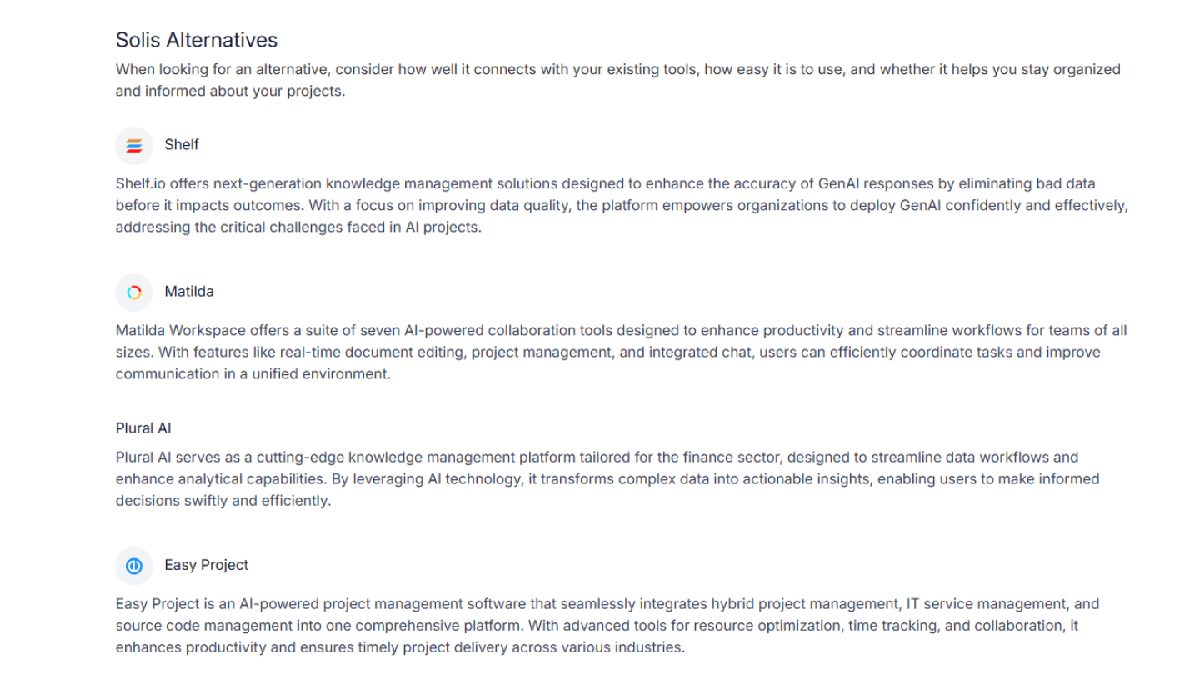
This is deal for measuring who’s gaining attention in a competitive landscape.
Spot growth signals and red flags in a competitive landscape
Pay attention to revenue estimates, growth indicators, and date established. If you see a company from 2023 growing rapidly in a stable niche, that’s a clear sign of traction or a signal of changing market dynamics in that vertical.
Look for gaps, not just strengths
The real edge comes from finding what competitors aren’t doing.
- Are they missing localization?
- Is there a lack of self-serve onboarding?
- No customer base in SMB markets?
These gaps reveal opportunities to tailor your own SaaS solution around unmet customer needs and market voids.
Use competitive analysis to refine your strategy
Once the map is drawn, ask:
- What SaaS market growth trends are shaping our space?
- Where do we offer a better software delivery experience?
- What kind of research can help us sharpen positioning quarterly?
Pro tip:
Make competitor tracking a habit, not a one-time exercise.
Set up a lightweight dashboard to track market changes, emerging tools, and shifting business strategy. SaaS moves fast, so your insights need to move faster.
With the right tools and lens, conducting market research on competitors becomes a growth function. SaaS Browser handles the heavy lifting. Your job is to translate the data into positioning that cuts through the noise.
4. Gathering and Analyzing Data
This is where research turns from exploration to evidence. You’ve defined your goals and studied your competitors. Now it’s time to collect, structure, and interpret the data that will actually inform decisions.
Choose the right type of research for your objective (secondary and primary research)
Most SaaS research projects blend primary and secondary sources.
Use primary research that mostly consists of qualitative research (e.g., interviews, feedback sessions, or prototype testing) to validate assumptions directly with users.
Pair it with secondary research, such as analyst reports, market analysis, and public data, to expand your understanding of the broader context.
Balance qualitative and quantitative research
In SaaS industry, numbers tell you what’s happening; stories tell you why. You need to know this if you're conducting research for SaaS.
A spike in churn (quantitative) only makes sense when paired with in-depth customer interviews (qualitative).
Use qualitative analysis tools for themes, tone, and emotional signals and back it up with metrics from product usage, NPS, or website analytics. This dual-track approach helps reveal both behavior and motivation.
Use analysis to uncover patterns—not just data points
You’re not just hunting for facts. You’re looking for customer insights, friction points, language patterns, and shifts in expectations. Analyze survey results for emotional drivers. Map feature requests to customer research principles.
And don’t just analyze active users. Try to also understand drop-offs and non-conversions. That’s where untapped growth lives.
Leverage tools built for SaaS data
SaaS Browser gives you instant access to research for SaaS — from market statistics and domain strength to social signals and demand for SaaS by niche.
Combine that with product analytics, CRM exports, and customer feedback to conduct a deeper, more connected analysis.
Pro tip for SaaS market research:
Never run a research sprint without planning how you’ll analyze and share the findings.
Build simple templates for synthesis. Tag interviews by theme. Use visual dashboards for recurring research projects.
Smart analysis bridges the gap between information and action. In the fast-moving SaaS space, the companies that win aren’t just the ones who collect data. They’re the ones who know exactly how to use it.
5. Integrating SaaS Browser Into Your Research Workflow
Market research is only as powerful as the systems you build around it.
Tools should plug into your process and give you leverage. SaaS Browser was designed to be just that, a frictionless part of how you discover trends, assess competitors, and validate ideas.
Start by defining your recurring research cycles
Before you touch a tool, define your rhythm.
Are you doing ongoing competitor monitoring, monthly category reviews, or quarterly growth opportunity scans? Clarifying this helps you use SaaS Browser proactively rather than reactively.
For most teams, a strong cadence might look like this:
- Weekly: Track emerging SaaS businesses in your category using filters like “Date Established,” “Social Media Growth,” and “Revenue Estimates.”
- Monthly: Evaluate how many new competitors entered SaaS Browser database in the last cycle.
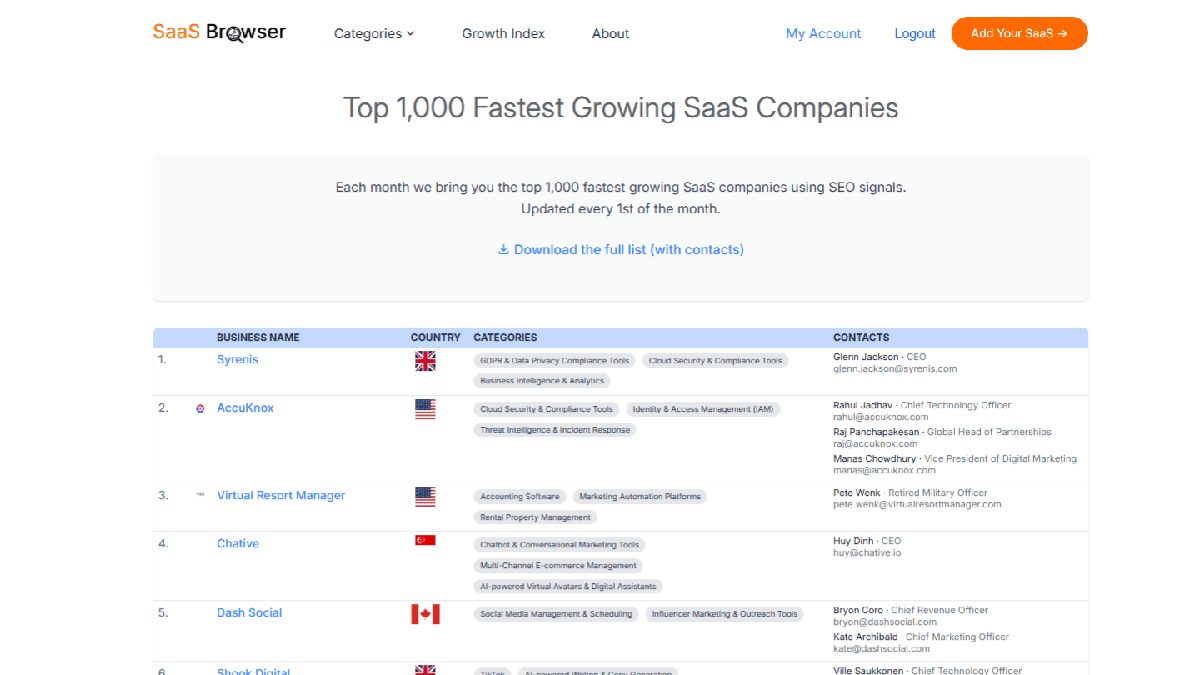
- Quarterly: Explore new categories or market entries to fuel roadmap planning, M&A research, or partnership opportunities.
Use advanced filters to get signal, not noise from SaaS space
One of the most powerful features of SaaS Browser is its filtering precision. You can sort over 500,000 SaaS companies by:
- Category or niche — instantly view competitors or potential collaborators
- Domain authority and backlink profile — to estimate digital reputation
- Social growth patterns — to detect momentum before it’s widely noticed
- Geographic presence — to map regional growth or expansion targets
- Revenue estimates — to align findings with your financial benchmarks
For example, if you're planning to launch in the B2B HR tech space in Europe, you can apply filters to find SaaS companies launched in the past three years, headquartered in Europe, with moderate domain authority, and rising social media engagement. That’s not just data—that’s directional intelligence.
Export and operationalize your findings
SaaS Browser allows CSV exports that include everything from domain data and social metrics to revenue estimates and backlink counts. This data can be imported into:
- CRM systems for sales or partnership outreach
- Analytics dashboards for ongoing monitoring
- Research reports for executive briefings or investor updates
If you're managing multiple stakeholders, a clean export means less friction in cross-functional alignment. Everyone can speak from the same dataset.
Integrate via REST API for custom workflows
For data-heavy teams or those building internal tools, the REST API gives you programmatic access to everything in the database.
Whether you’re populating a BI dashboard or running large-scale market trend analysis in Python or R, the API allows deep customization that scales with your needs.
SaaS Market Research Is Now Easier
In the world of SaaS, the difference between companies that guess and companies that grow is research.
Bloated PDFs or outdated industry slides are a thing of past. You need insights that feed your decisions, sharpen your bets, and give you an edge.
SaaS Browser wasn’t built for passive browsing.
It’s built for those who act on intelligence. With 500,000+ SaaS businesses, growth signals, advanced filters, CSV exports, and API access, it’s the tool behind the smartest SaaS teams and most informed decisions.
If you’re ready to stop guessing and start moving with conviction, try SaaS Browser. Get a demo and make your next move the right one.